
NFT Redemption Flow: From Blockchain Back to Game

deps
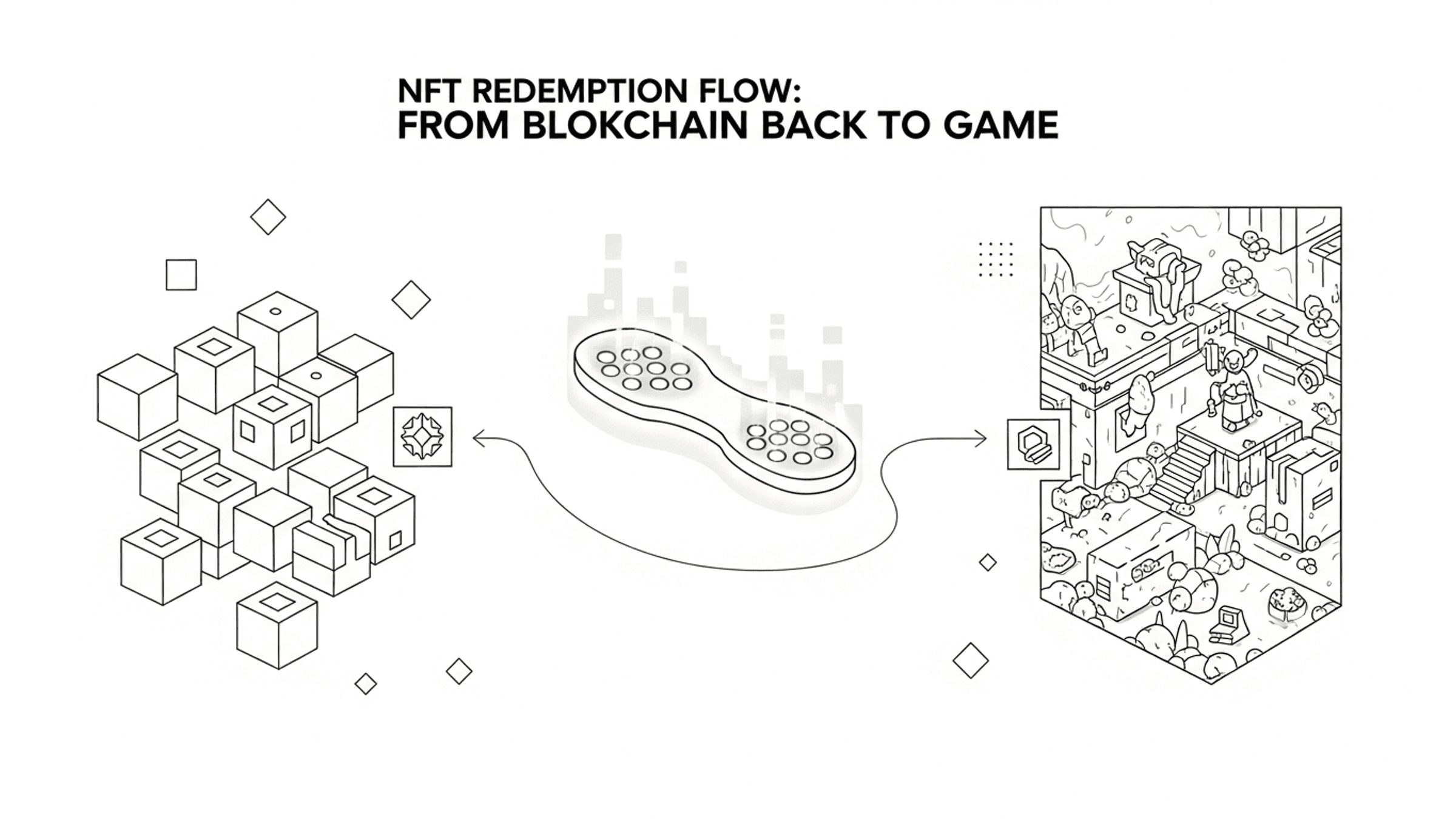
Your player minted a rare Epic paddle as an NFT three weeks ago. Someone on the ForTem marketplace bought it for 5 SUI. The buyer now has a redeem code: PP-A7F-KXMQT-92BL. They type it into your game. What happens next?
Three hidden engineering problems immediately surface:
- NFT Redemption Verification: How do you verify the NFT was actually burned on-chain? A malicious user could submit a redeem code for an NFT that still exists on the blockchain, attempting to claim in-game benefits while retaining the tradeable asset.
- Original Minter vs. Marketplace Buyer: Is this the original minter reclaiming their item, or a marketplace buyer receiving something new? These are fundamentally different operations with different inventory implications.
- Granting the Correct Item: How do you grant the correct item with the right type, rarity, and skin variant? The blockchain stores string attributes. Your game uses TypeScript enums. Bridging these two worlds without crashes requires defensive mapping.
This is Part 5 of the "Building an NFT Marketplace for Your Game" series. We built server-side minting in Article 3 and its client-side UI in Article 4. Now we build the reverse: a burned NFT becomes a playable game item again. Learn how to implement NFT redemption in your game.
Why Redemption Is Harder Than Minting
Minting is a one-way push. You take a game item, package it as an NFT, and send it to the Sui blockchain. The flow is linear: validate, mint, poll, done. Redemption is the opposite, but it is not simply minting in reverse. Learn about NFT minting vs NFT redemption.
Redemption requires verification plus conditional branching. Before granting anything, you must confirm the NFT was burned. Then you must determine which of two fundamentally different scenarios applies. Only then can you modify the player's inventory. Discover the complexities of NFT game development.
The NFT status lifecycle indicates when redemption is valid:
PENDING → PROCESSING → MINTED → (OFFER_PENDING | KIOSK_LISTED) → REDEEMED
Only the REDEEMED status means the NFT has been burned and the item can be claimed. Every other status means the NFT still exists on-chain, and granting items for unburned NFTs would let players duplicate value. Ensure secure NFT integration in your game.
Here is a side-by-side comparison of the two directions:
| Aspect | Minting (Articles 3-4) | Redemption (This Article) |
|---|---|---|
| Direction | Game → Blockchain | Blockchain → Game |
| Verification | Wallet address only | NFT burn status on-chain |
| Item handling | Mark existing item as NFT | Restore or create new item |
| Scenarios | Single path | Two distinct paths |
| Failure modes | API error, timeout | Invalid code, not burned, already redeemed |
The single-path nature of minting made it straightforward. Redemption's branching logic is where the real complexity lies. Explore NFT marketplace development.
Architecture Overview
The redemption flow uses the same Mediator pattern established in Article 4: the popup never calls APIs directly. The scene orchestrates everything, keeping components decoupled and testable.
| Component | Responsibility | File |
|---|---|---|
RedeemPopup | 5-state popup UI, code input, feedback | ui/redeem-popup.ts |
ForTemService | API call to Edge Function with action='redeem' | core/fortem/fortem-service.ts |
ProfileScene | Orchestrates flow, decides scenario, updates inventory | scenes/auth/profile-scene.ts |
EconomyManager | Finds, restores, or creates inventory items | core/economy/economy-manager.ts |
One important difference from minting: redemption lives in ProfileScene, not InventoryScene. Redeem codes originate from the ForTem marketplace, outside the game entirely. A player receives a code via email, the ForTem website, or a friend's message. The profile screen, where players manage their account and external integrations, is the natural entry point for external codes. Enhance your game with NFT redeem codes.
Step 1: Define the Type System
Following the types-first approach from Article 4, we start by defining the data shapes that flow through the system. Here are the response types for the Edge Function call and the processed result the client works with:
// core/fortem/types.ts

export interface RedeemItemResponse {
  success: boolean;
  data?: {
    id: number;
    name: string;
    description: string;
    attributes: Array<{ name: string; value: string }>;
    status: string;
    itemImage: string;
    nftNumber: number;
  };
  error?: string;
}

export interface RedeemResult {
  success: boolean;
  item?: {
    name: string;
    itemType: string;
    rarity: string;
  };
  error?: string;
}
And the popup's own types for managing its internal state:
// ui/redeem-popup.ts

export type RedeemPopupStep =
  | 'input'
  | 'verifying'
  | 'success'
  | 'error'
  | 'login_required';

export interface RedeemedItemInfo {
  name: string;
  itemType: string;
  rarity: string;
}
The minting popup from Article 4 had 6 states. Redemption needs only 5; there is no wallet_input or confirm step. The player enters a code, and we verify it. No wallet address is needed because the NFT has already been burned; there is no on-chain transaction to send. Streamline NFT game UX.
| Popup | States | Why |
|---|---|---|
NFTMintPopup (Art. 4) | 6: login, wallet, confirm, minting, success, error | Needs wallet address + player confirmation |
RedeemPopup (Art. 5) | 5: login, input, verifying, success, error | Code input only, no wallet needed |
Step 2: The Edge Function — Verifying the Burn
The redeemNFT() function was introduced in Article 3's Edge Function. Let's examine it in full detail now that we understand why every check matters. Authentication reuses the same nonce-based flow from Article 3; each API call gets a fresh access token.
// supabase/functions/fortem-mint/index.ts

async function redeemNFT(redeemCode: string): Promise<Response> {
  if (!redeemCode) {
    return new Response(
      JSON.stringify({ success: false, error: 'Missing redeemCode' }),
      { status: 400, headers: { ...corsHeaders, 'Content-Type': 'application/json' } }
    );
  }

  try {
    const accessToken = await getAccessToken();

    const statusResponse = await fetch(
      `${FORTEM_API_URL}/api/v1/developers/collections/${FORTEM_COLLECTION_ID}/items/${redeemCode}`,
      {
        headers: {
          'Authorization': `Bearer ${accessToken}`,
          'Content-Type': 'application/json',
        },
      }
    );

    if (!statusResponse.ok) {
      if (statusResponse.status === 404) {
        return new Response(
          JSON.stringify({ success: false, error: 'Item not found' }),
          { status: 404, headers: { ...corsHeaders, 'Content-Type': 'application/json' } }
        );
      }
      return new Response(
        JSON.stringify({ success: false, error: `Failed to verify redeem code: ${statusResponse.status}` }),
        { status: 500, headers: { ...corsHeaders, 'Content-Type': 'application/json' } }
      );
    }

    const itemData = await statusResponse.json();
    const status = itemData.data?.status;

    // The critical check: only REDEEMED items can be claimed
    if (status !== 'REDEEMED') {
      return new Response(
        JSON.stringify({
          success: false,
          error: status === 'MINTED' || status === 'KIOSK_LISTED'
            ? 'Item not yet redeemed on ForTem. Please redeem it on the ForTem marketplace first.'
            : `Item status is ${status}. Only REDEEMED items can be claimed.`,
        }),
        { status: 400, headers: { ...corsHeaders, 'Content-Type': 'application/json' } }
      );
    }

    // Return full item data for the client to grant in-game
    return new Response(
      JSON.stringify({
        success: true,
        data: {
          id: itemData.data?.id,
          name: itemData.data?.name,
          description: itemData.data?.description,
          attributes: itemData.data?.attributes ?? [],
          status: itemData.data?.status,
          itemImage: itemData.data?.itemImage,
          nftNumber: itemData.data?.nftNumber,
        },
      }),
      { status: 200, headers: { ...corsHeaders, 'Content-Type': 'application/json' } }
    );
  } catch (error) {
    console.error('Redeem verification error:', error);
    return new Response(
      JSON.stringify({ success: false, error: error instanceof Error ? error.message : 'Unknown error' }),
      { status: 500, headers: { ...corsHeaders, 'Content-Type': 'application/json' } }
    );
  }
}
The function returns item attributes (Type, Rarity) in the response. This is what makes the dual-scenario handling possible on the client side. The blockchain becomes the source of truth for item identity, not the game's local inventory. Learn about secure blockchain integration.
Step 3: Building the Redeem Popup
The RedeemPopup follows the same architecture as the minting popup: a Panel subclass that manages its own rendering, with public methods the scene uses to control state transitions.
// ui/redeem-popup.ts

export class RedeemPopup extends Panel {
  private currentStep: RedeemPopupStep;
  private contentElements: GameObjects.GameObject[] = [];
  private redeemCodeInput?: string;
  private redeemedItem?: RedeemedItemInfo;
  private errorMessage?: string;
  private spinnerAngle: number = 0;
  private spinnerTimer?: Phaser.Time.TimerEvent;

  constructor(scene: Scene, popupConfig: RedeemPopupConfig) {
    const width = popupConfig.width ?? 380;
    const height = popupConfig.height ?? 400;

    super(scene, {
      x: popupConfig.x,
      y: popupConfig.y,
      width,
      height,
      title: '',
      showCloseButton: true,
      onClose: popupConfig.onClose,
    });

    this.popupConfig = popupConfig;

    if (!popupConfig.isLoggedIn) {
      this.currentStep = 'login_required';
    } else {
      this.currentStep = 'input';
    }

    this.renderCurrentStep();
  }

  private renderCurrentStep(): void {
    this.clearContent();
    switch (this.currentStep) {
      case 'login_required': this.renderLoginRequired(); break;
      case 'input':          this.renderInput();         break;
      case 'verifying':      this.renderVerifying();     break;
      case 'success':        this.renderSuccess();       break;
      case 'error':          this.renderError();         break;
    }
  }

  // Public methods for external state control
  setStep(step: RedeemPopupStep): void {
    this.currentStep = step;
    this.renderCurrentStep();
  }

  setSuccess(item: RedeemedItemInfo): void {
    this.redeemedItem = item;
    this.currentStep = 'success';
    this.renderCurrentStep();
  }

  setError(message: string): void {
    this.errorMessage = message;
    this.currentStep = 'error';
    this.renderCurrentStep();
  }
}
Same pattern as the mint popup: expose setStep(), setSuccess(), and setError() so the scene controls state transitions. The popup renders; the scene decides. Build engaging NFT game interfaces.
Step 4: Redeem Code Input
The input step is where the player types their ForTem redeem code. Here is the rendering logic:
// ui/redeem-popup.ts

private renderInput(): void {
  const title = this.scene.add.text(0, 5, 'Redeem NFT', {
    ...FONT_STYLE.HEADING,
    fontSize: '24px',
  }).setOrigin(0.5);
  this.addContent(title);
  this.contentElements.push(title);

  const giftIcon = this.scene.add.text(0, 70, '\u{1F381}', {
    fontSize: '48px',
  }).setOrigin(0.5);
  this.addContent(giftIcon);
  this.contentElements.push(giftIcon);

  const message = this.scene.add.text(0, 125, 'Enter your ForTem redeem code:', {
    ...FONT_STYLE.SMALL,
    fontSize: '14px',
    color: COLORS_HEX.TEXT_SECONDARY,
    align: 'center',
  }).setOrigin(0.5);
  this.addContent(message);
  this.contentElements.push(message);

  // Visual input field
  const inputWidth = 300;
  const inputY = 175;

  const inputBg = this.scene.add.graphics();
  inputBg.fillStyle(0x1a1a2e, 1);
  inputBg.fillRoundedRect(-inputWidth / 2, inputY - 26, inputWidth, 52, 10);
  inputBg.lineStyle(2, COLORS.PRIMARY, 0.6);
  inputBg.strokeRoundedRect(-inputWidth / 2, inputY - 26, inputWidth, 52, 10);
  this.addContent(inputBg);
  this.contentElements.push(inputBg);

  this.redeemCodeInput = '';
  const inputText = this.scene.add.text(-inputWidth / 2 + 15, inputY, 'PP-XXX-XXXXX-XXXX', {
    ...FONT_STYLE.BODY,
    fontSize: '15px',
    color: '#555555',
  }).setOrigin(0, 0.5);
  this.addContent(inputText);
  this.contentElements.push(inputText);

  // Clickable area triggers browser prompt
  const inputArea = this.scene.add.rectangle(0, inputY, inputWidth, 52, 0x000000, 0);
  inputArea.setInteractive({ useHandCursor: true });
  inputArea.on('pointerdown', () => {
    const code = prompt('Enter your ForTem redeem code:');
    if (code) {
      this.redeemCodeInput = code.trim().toUpperCase();
      inputText.setText(this.redeemCodeInput || 'PP-XXX-XXXXX-XXXX');
      inputText.setColor(this.redeemCodeInput ? COLORS_HEX.TEXT : '#555555');
    }
  });
  this.addContent(inputArea);
  this.contentElements.push(inputArea);

  // Redeem button with validation
  const redeemBtn = new Button(this.scene, {
    x: 75,
    y: 285,
    width: 130,
    height: 48,
    text: 'REDEEM',
    fontSize: '18px',
    color: COLORS.SUCCESS,
    onClick: () => {
      if (!this.redeemCodeInput || this.redeemCodeInput.length < 5) {
        this.showToast('Please enter a valid redeem code');
        return;
      }
      this.currentStep = 'verifying';
      this.renderCurrentStep();
      this.popupConfig.onRedeem(this.redeemCodeInput);
    },
  });
  this.addContent(redeemBtn);
  this.contentElements.push(redeemBtn);
}
The input automatically uppercases the code. Redeem codes follow the format PP-{TYPE}-{TIMESTAMP}-{RANDOM}, always uppercase. A minimal validation check (length < 5) catches empty submissions without being overly strict about format; the Edge Function handles real validation. Implement user-friendly NFT code redemption.
Reusing
window.prompt()from the minting popup (Article 4). Same pragmatic choice: Phaser has no native text input, and players only enter a redeem code once per redemption. A custom input component would add hundreds of lines of complexity for a single-use interaction.
Step 5: The ForTem Service Client
The client-side service method that calls our Edge Function:
// core/fortem/fortem-service.ts

async redeemItem(redeemCode: string): Promise<RedeemResult> {
  const supabase = getSupabase();
  if (!supabase) {
    return { success: false, error: 'Supabase not configured' };
  }

  try {
    const { data: { session } } = await supabase.auth.getSession();
    if (!session) {
      return { success: false, error: 'Please login to redeem NFTs' };
    }

    const { data, error } = await supabase.functions.invoke<RedeemItemResponse>(
      'fortem-mint',
      {
        body: {
          action: 'redeem',
          redeemCode,
        },
      }
    );

    if (error) {
      return { success: false, error: error.message ?? 'Unknown error' };
    }

    if (!data?.success || !data.data) {
      return { success: false, error: data?.error ?? 'Unknown error' };
    }

    // Parse item identity from NFT attributes
    const attributes = data.data.attributes ?? [];
    const typeAttr = attributes.find(a => a.name === 'Type');
    const rarityAttr = attributes.find(a => a.name === 'Rarity');

    return {
      success: true,
      item: {
        name: data.data.name,
        itemType: typeAttr?.value ?? 'UNKNOWN',
        rarity: rarityAttr?.value ?? 'Common',
      },
    };
  } catch (err) {
    const message = err instanceof Error ? err.message : 'Network error';
    return { success: false, error: message };
  }
}
Notice the key difference from minting: single call, no polling. The minting flow required polling because the blockchain transaction took time to process. Redemption verification is instantaneous; the NFT was already burned before the player received their code. We just confirm the REDEEMED status and extract item identity from attributes. Optimize your game with efficient NFT APIs.
| Operation | API Calls | Pattern |
|---|---|---|
| Minting (Art. 4) | 1 mint + N status polls | Fire-and-poll |
| Redemption (Art. 5) | 1 redeem verification | Single request-response |
Step 6: The Two Redemption Scenarios
This is the heart of the article. Two players can enter the same format of redeem code, but the game must handle their situations completely differently. Master NFT redemption logic for your game.
Scenario 1: Own Item Reclaim. Alice mints her Epic Paddle as an NFT. Nobody buys it on the ForTem marketplace. She decides she wants it back in-game, so she redeems it. The item already exists in her inventory, marked with isNFT: true. We need to "un-NFT" it, clear the NFT metadata, and restore it as a normal game item.
Scenario 2: Marketplace Purchase. Alice mints her Epic Paddle. Bob sees it on ForTem and buys it for 5 SUI. Bob enters the redeem code in his game client. He does NOT have this item in his inventory. We need to create a brand new inventory item with the correct type, rarity, and a randomly assigned skin variant.
Here is the orchestration method that decides between these two paths:
// scenes/auth/profile-scene.ts

private async handleRedeem(redeemCode: string): Promise<void> {
  EventBus.emit(GameEvents.NFT_REDEEM_STARTED, { redeemCode });

  // Critical: sync cloud data first to find user's own minted items
  if (syncService.isCloudSyncAvailable()) {
    await syncService.syncOnLogin();
  }

  // Check if this is user's own minted item
  const existingItem = economyManager.findItemByRedeemCode(redeemCode);

  // Only check marketplace redeems for double-redemption
  if (!existingItem && economyManager.isAlreadyRedeemed(redeemCode)) {
    this.redeemPopup?.setError('This code has already been redeemed');
    EventBus.emit(GameEvents.NFT_REDEEM_FAILED, { redeemCode, error: 'Already redeemed' });
    return;
  }

  // Verify with ForTem that the NFT was burned
  const result = await fortemService.redeemItem(redeemCode);

  if (!result.success || !result.item) {
    this.redeemPopup?.setError(result.error ?? 'Failed to redeem');
    EventBus.emit(GameEvents.NFT_REDEEM_FAILED, { redeemCode, error: result.error });
    return;
  }

  if (existingItem) {
    // Scenario 1: Restore user's own minted item
    economyManager.restoreRedeemedItem(redeemCode);
  } else {
    // Scenario 2: Add new item from marketplace purchase
    const itemTypeMap: Record<string, ItemType> = {
      'SKIN': ItemType.PADDLE_SKIN,
      'paddle': ItemType.PADDLE_SKIN,
      'PADDLE_SKIN': ItemType.PADDLE_SKIN,
      'ball': ItemType.BALL_SKIN,
      'BALL_SKIN': ItemType.BALL_SKIN,
      'COLLECTIBLE': ItemType.BADGE,
      'BADGE': ItemType.BADGE,
    };

    const rarityMap: Record<string, Rarity> = {
      'Common': Rarity.COMMON,
      'COMMON': Rarity.COMMON,
      'Uncommon': Rarity.UNCOMMON,
      'UNCOMMON': Rarity.UNCOMMON,
      'Rare': Rarity.RARE,
      'RARE': Rarity.RARE,
      'Epic': Rarity.EPIC,
      'EPIC': Rarity.EPIC,
      'Legendary': Rarity.LEGENDARY,
      'LEGENDARY': Rarity.LEGENDARY,
    };

    const itemType = itemTypeMap[result.item.itemType] ?? ItemType.BADGE;
    const rarity = rarityMap[result.item.rarity] ?? Rarity.COMMON;

    economyManager.addRedeemedItem(itemType, rarity, redeemCode);
  }

  // Show success
  this.redeemPopup?.setSuccess({
    name: result.item.name,
    itemType: result.item.itemType,
    rarity: result.item.rarity,
  });

  EventBus.emit(GameEvents.NFT_REDEEM_SUCCESS, {
    redeemCode,
    item: result.item,
  });
}
The decision tree, visualized:
# Decision Tree
# Enter redeem code
#   │
#   ▼
# Sync cloud data (critical!)
#   │
#   ▼
# findItemByRedeemCode(code)
#   │
#   ├─ Found ──▶ User's OWN minted item
#   │            Verify REDEEMED on ForTem
#   │            restoreRedeemedItem() → isNFT = false
#   │
#   └─ Not found ──▶ MARKETPLACE purchase
#                    isAlreadyRedeemed()? → Error
#                    Verify REDEEMED on ForTem
#                    addRedeemedItem() → new item + random skin
Two subtleties deserve attention. First, cloud sync must run before the redeem code lookup. Without syncing, a player who minted on Device A and redeems on Device B would incorrectly trigger Scenario 2 instead of Scenario 1, creating a duplicate item. Second, the double-redemption check only applies to marketplace purchases. A player reclaiming their own item should always succeed (the item already exists; we're just clearing its NFT flag). Prevent NFT duplication exploits.
Step 7: The Inventory Methods
Four methods in EconomyManager handle the actual inventory operations. Each method corresponds to a specific point in the decision tree above.
// core/economy/economy-manager.ts

// Scenario 1: Find the original minted item
findItemByRedeemCode(redeemCode: string): InventoryItem | null {
  const normalizedCode = redeemCode.toUpperCase();
  return this.data.inventory.find(
    item => item.nftMetadata?.redeemCode?.toUpperCase() === normalizedCode
  ) ?? null;
}

// Scenario 1: "Un-NFT" the item
restoreRedeemedItem(redeemCode: string): InventoryItem | null {
  const item = this.findItemByRedeemCode(redeemCode);
  if (!item) return null;

  item.isNFT = false;
  delete item.nftId;
  delete item.nftMetadata;

  this.save();
  return item;
}

// Prevent double-redemption for marketplace purchases
isAlreadyRedeemed(redeemCode: string): boolean {
  const normalizedCode = redeemCode.toUpperCase();
  return this.data.inventory.some(item => {
    const redeemedFrom = item.metadata?.redeemedFrom as string | undefined;
    return redeemedFrom?.toUpperCase() === normalizedCode;
  });
}

// Scenario 2: Create a new item from marketplace purchase
addRedeemedItem(
  itemType: ItemType,
  rarity: Rarity,
  redeemCode: string
): InventoryItem {
  const definition = ITEM_DEFINITIONS[itemType];

  const newItem: InventoryItem = {
    id: this.generateItemId(),
    itemType,
    rarity,
    quantity: 1,
    acquiredAt: Date.now(),
    isNFT: false, // Redeemed items are not NFTs (the NFT was burned)
    metadata: {
      redeemedFrom: redeemCode,
    },
  };

  // Assign random skin frame if applicable
  if (definition.skinVariants) {
    const usePremium =
      definition.skinVariants.premiumFrames &&
      definition.skinVariants.premiumFrames.frames[rarity]?.length > 0 &&
      Math.random() > 0.5;

    const source = usePremium
      ? definition.skinVariants.premiumFrames!
      : { textureKey: definition.skinVariants.textureKey, frames: definition.skinVariants.frames };

    const frames = source.frames[rarity];
    if (frames && frames.length > 0) {
      const randomFrame = frames[Math.floor(Math.random() * frames.length)]!;
      newItem.skinData = {
        textureKey: source.textureKey,
        frame: randomFrame,
      };
    }
  }

  this.data.inventory.push(newItem);
  this.save();
  return newItem;
}
Notice isNFT: false on the new item. This is deliberate. The NFT was burned on the blockchain during redemption. The resulting game item is a regular inventory item; it can be played with, equipped, and even minted again as a new NFT later. The metadata.redeemedFrom field tracks provenance and prevents the same code from being redeemed twice. Secure your game's NFT inventory system.
Design Decision: Why assign a random skin variant to marketplace purchases? The original minter selected a specific visual through gameplay progression. A marketplace buyer is purchasing the item's type and rarity, not its exact appearance. Random assignment makes each redemption feel unique while preserving the economic value that rarity provides. Enhance your game with unique NFT rewards.
The Enum Mapping Problem
Look at those itemTypeMap and rarityMap objects in the orchestration code. They exist because of a fundamental tension: the ForTem API returns string attributes, but your game uses TypeScript enums.
| ForTem Attribute Value | Game Enum | Issue |
|---|---|---|
"SKIN" | ItemType.PADDLE_SKIN | Different naming convention |
"paddle" | ItemType.PADDLE_SKIN | Lowercase variant |
"PADDLE_SKIN" | ItemType.PADDLE_SKIN | Exact match |
"Epic" | Rarity.EPIC | Title case vs uppercase |
"EPIC" | Rarity.EPIC | Exact match |
Case variations are a real bug vector. During development, the ForTem API returned "Epic" for rarity. After a backend update, it started returning "EPIC". Without the mapping table, the game would have defaulted every item to Rarity.COMMON, silently downgrading Epic items. Avoid common NFT integration errors.
The defensive defaults (?? ItemType.BADGE and ?? Rarity.COMMON) ensure the game never crashes on an unexpected attribute value. A Common Badge is wrong, but a crash is worse. In production, you would add logging here to catch unexpected values early.
Integration Lesson: When bridging external APIs to internal type systems, always map at the boundary. Never let external strings propagate through your codebase. Define the mapping in one place, add defensive defaults, and log unexpected values. Ensure seamless NFT game integration.
Error Handling Patterns
Every failure point in the redemption flow has a specific, actionable error message. The player should always know what to do next.
| Failure Point | User Sees | Recovery |
|---|---|---|
| Not logged in | "Login Required" screen | Login button |
| Empty/short code | Toast: "Please enter a valid redeem code" | Re-enter code |
| Code not found (404) | "Item not found" | Check code, try again |
NFT still MINTED/KIOSK_LISTED | "Please redeem on ForTem marketplace first" | Go to ForTem |
| Already redeemed (marketplace) | "This code has already been redeemed" | N/A |
| Network/API error | Generic error screen | Retry button |
The most important row is the fourth one. A player who enters a valid redeem code for an NFT that hasn't been burned yet needs to know where to go to complete the burn. "Please redeem on ForTem marketplace first" directs them back to the ForTem platform. Compare this with a generic "Invalid code" message, which would leave them confused. Improve NFT game player experience.
The Complete Marketplace Cycle
Let's zoom out. With Article 5 complete, the full NFT marketplace loop is now functional:
# [In-Game Item] → Mint (Art. 3-4) → [NFT on Sui] → Trade on ForTem → Burn/Redeem → Redeem Code (Art. 5) → [In-Game Item]Each article contributed a specific piece to this cycle:
| Article | What It Built | Role in the Cycle |
|---|---|---|
| 1 | Vision and architecture | Defined the loop |
| 2 | Item economy and eligibility | Which items can enter the loop |
| 3 | Edge Function (mint + status + redeem) | Server-side infrastructure |
| 4 | Minting UI | Game → Blockchain direction |
| 5 | Redemption flow | Blockchain → Game direction |
The circle is now complete. An item can leave the game, trade hands on the blockchain, and return to a different player's inventory, all verified, type-safe, and with proper error handling at every step. Build a fully functional NFT game economy.
Deployment Checklist
- All five popup states render correctly
- Redeem code input accepts and uppercases
PP-XXX-XXXXX-XXXXformat - Spinner animates during verification
- Own-minted items are correctly restored (
isNFTreset, metadata cleared) - Marketplace purchases create new items with correct type and rarity
- Double-redemption is prevented for marketplace purchases
- Cloud sync runs before redeem code lookup
- Error messages are actionable (not generic)
- Event bus emits all three redeem events (
STARTED,SUCCESS,FAILED) - Close button works in every state
What Comes Next
The core NFT marketplace loop is now complete. Items can flow out of the game and back in. But there are still production concerns we haven't addressed:
- Article 6: Marketplace Integration — listing workflows, purchase verification, and real-time inventory updates when trades happen outside the game.
- Article 7: Production Lessons — security hardening, scaling considerations, and the mistakes I made along the way that you can avoid.
Try It Yourself
- Build the
RedeemPopupwith 5 states; start withinputandsuccess. - Wire up the ForTem redeem API call through
ForTemService. - Test Scenario 1: Mint an item, then redeem it back and verify
isNFTresets. - Test Scenario 2: Use a redeem code from a different account and verify a new item is created.
- Verify double-redemption prevention works by submitting the same marketplace code twice.
Start with the happy path and add error handling incrementally. The dual-scenario logic in handleRedeem is the critical piece; get that right first, then polish the UI states.
*This is Part 5 of the "Building an NFT Marketplace for Your Game" series. Next up: Marketplace integration and